Case Study
Clarifying Identity Provider Behavior
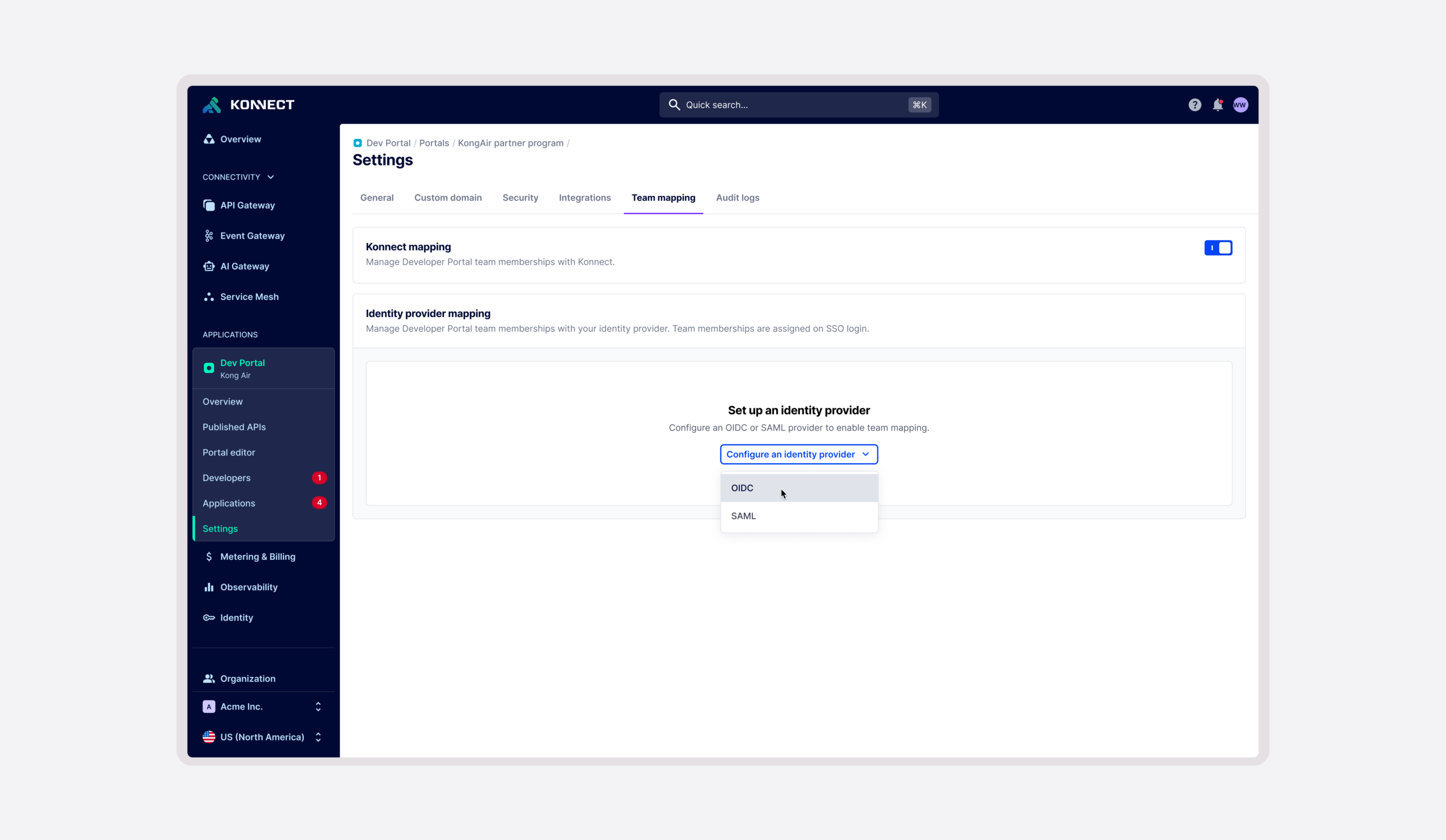
I designed preventative UX around a technically correct but potentially disruptive identity-management behavior.
Preventing unexpected access changes in identity-provider managed teams.
While working on Kong’s Dev Portal, Product surfaced an unexpected behavior involving teams synchronized through an external identity provider (IdP).
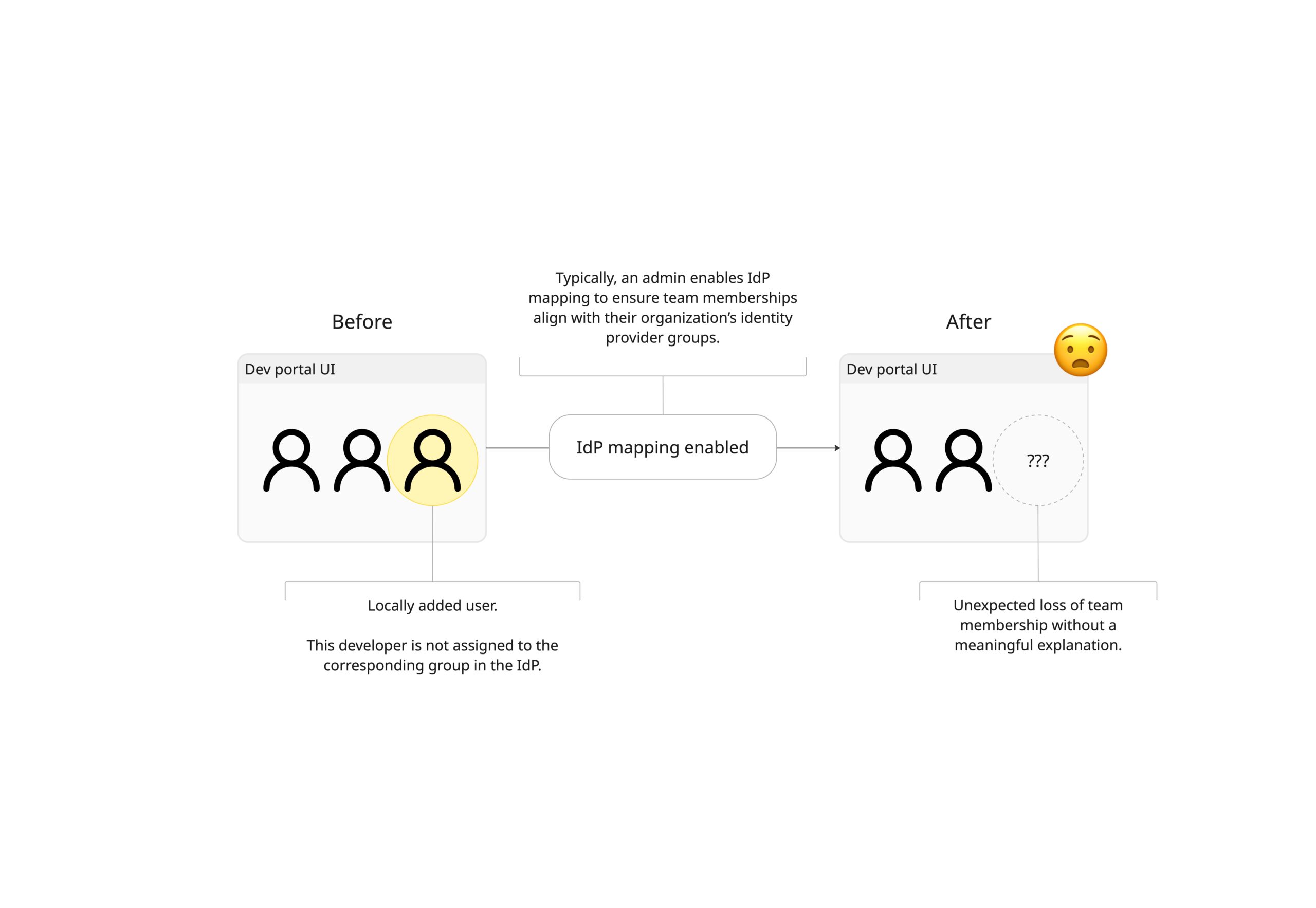
Under certain conditions, developers who had previously been added to a team manually could silently lose their team membership after IdP team mapping was enabled. I investigated the behavior, worked with engineers responsible for identity and account management to understand the underlying model, and designed safeguards that made the transition from locally managed to IdP-managed teams explicit and predictable.
View the interactive prototype ↗
What initially looked like a system defect became a design challenge: helping administrators understand and anticipate behavior that was working as intended. The following story trace that shift and the decisions behind the resulting experience.
Investigating unexpected behavior
My initial assumption was that the removal behavior itself was undesirable and should be changed. Before proposing a solution, I traced the scenario across Dev Portal and consulted engineers with deeper ownership of the platform’s identity architecture.
That investigation revealed an important distinction: once team mapping is enabled, the external identity provider intentionally becomes the source of truth for team membership.
If a developer belongs to a mapped team locally but isn’t assigned to its corresponding group in the IdP, synchronization removes that local membership. This was established identity-management behavior rather than a technical defect. That finding changed the problem I needed to solve.
Preserving expected system behavior while fixing the experience around it.
Once I understood why synchronization behaved this way, removing the behavior was no longer an appropriate solution. The actual usability problem was visibility.
A customer could transition from manually managing teams to IdP-managed membership without understanding that they were also changing which system controlled those relationships. Synchronization could subsequently modify team membership without any meaningful indication of why. I decided to focus on making its consequences understandable before they became surprising.
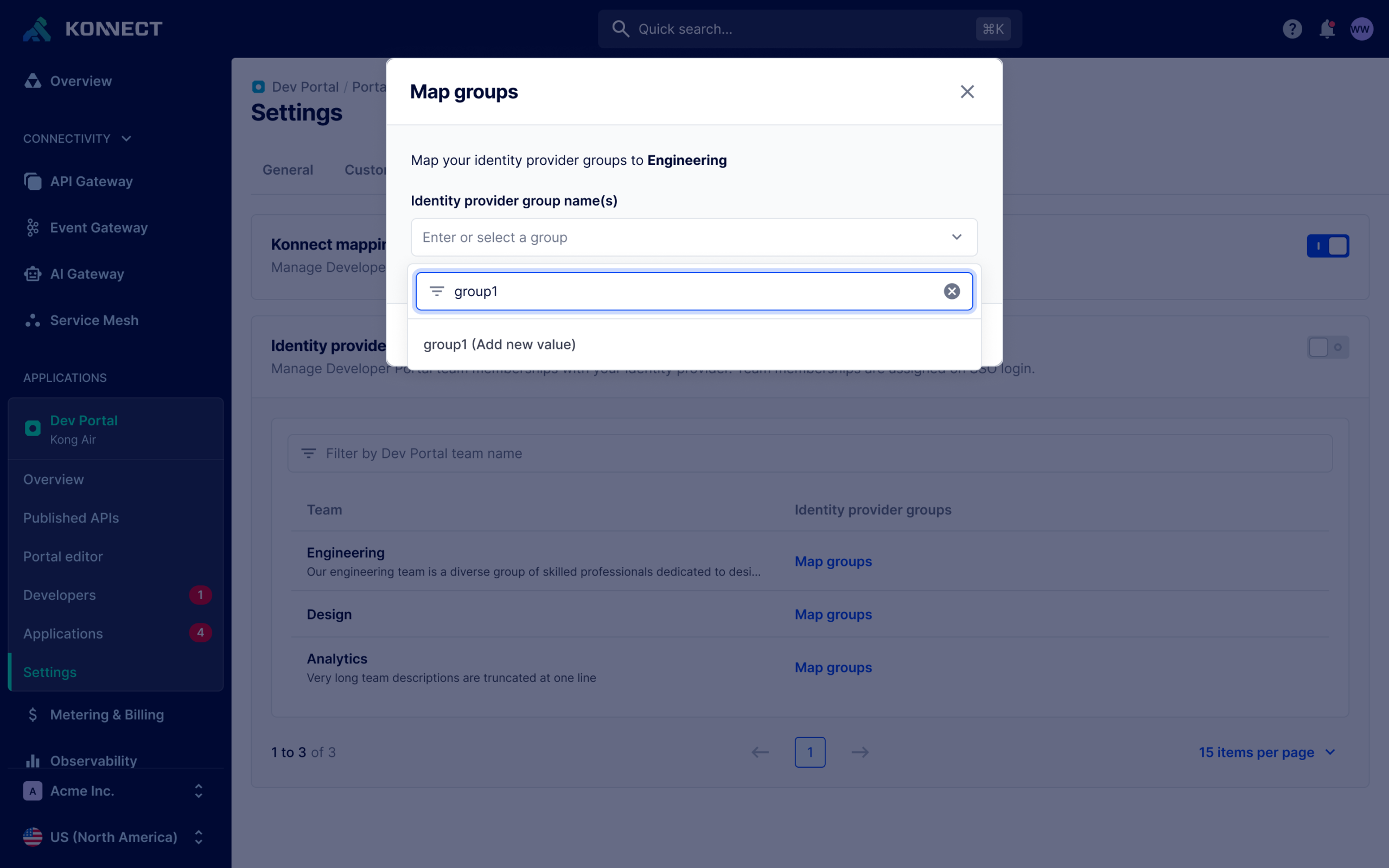
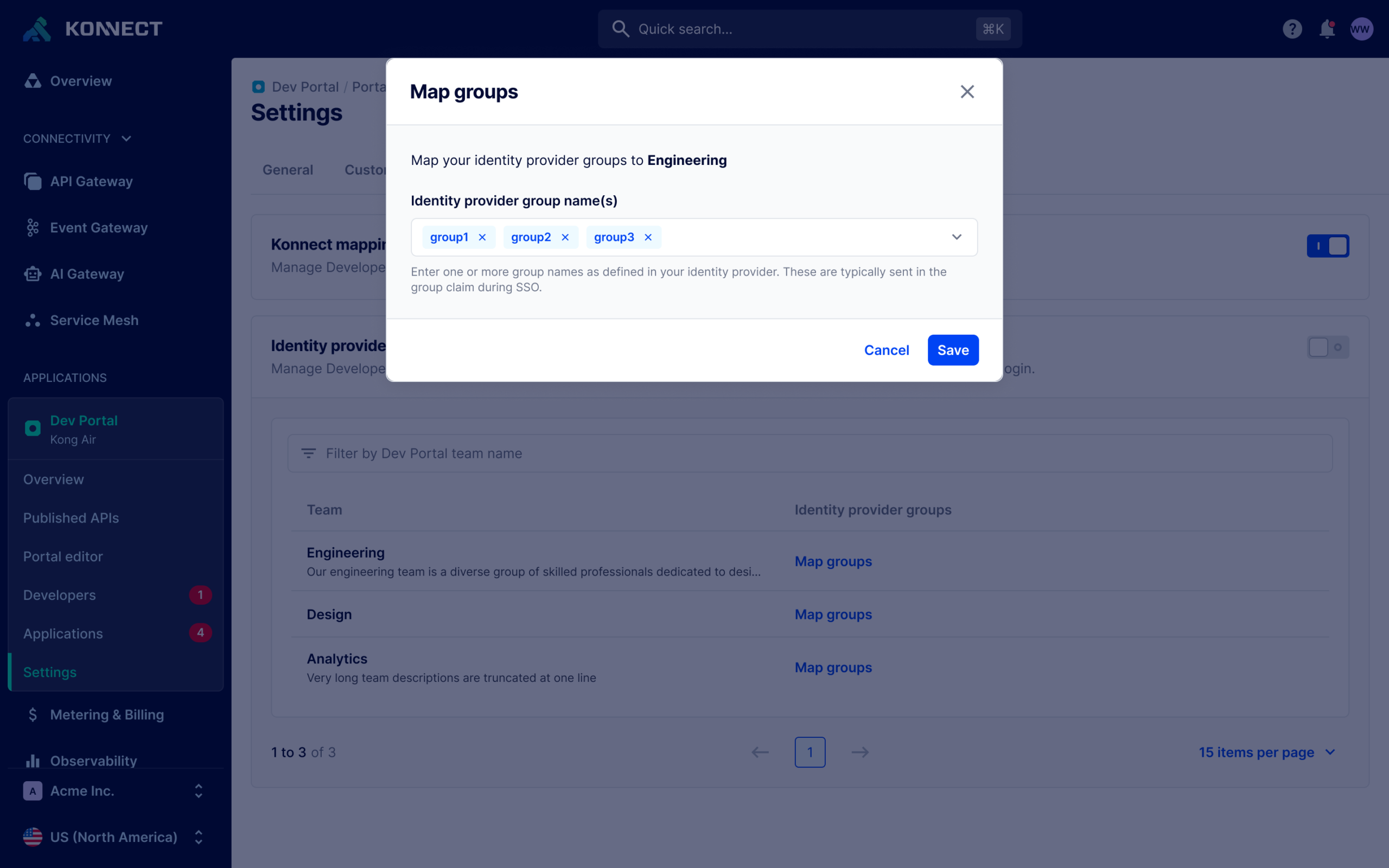
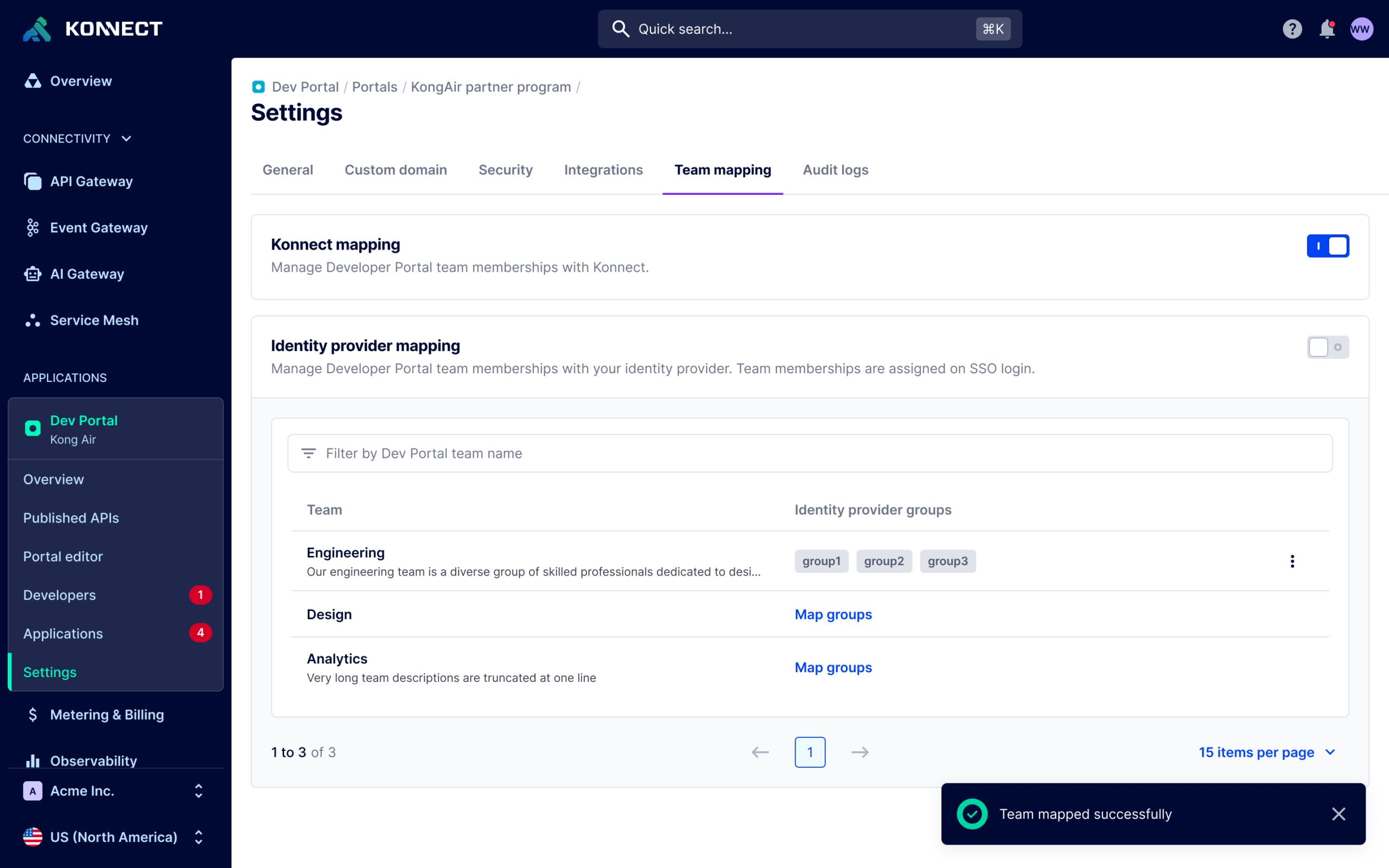
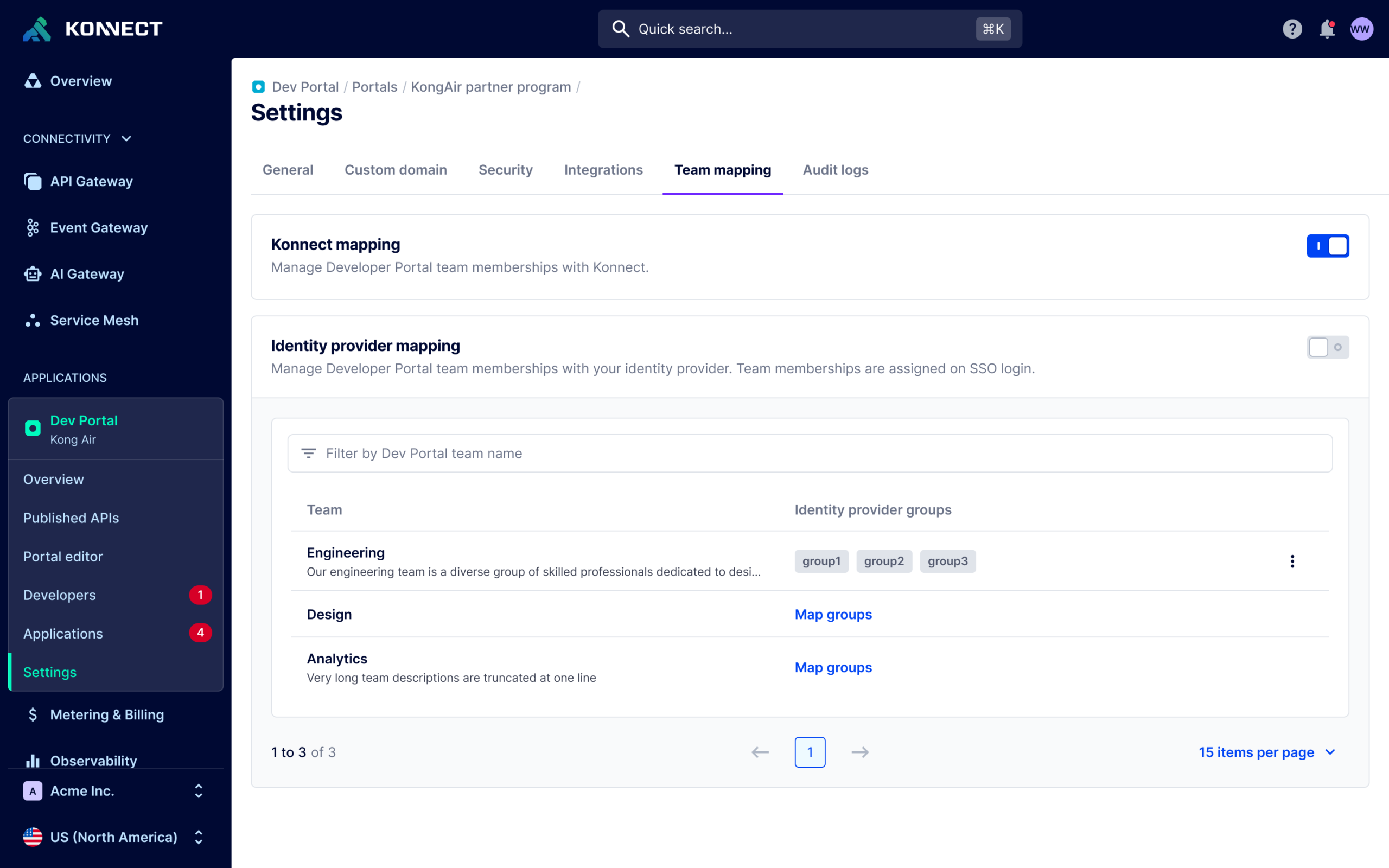
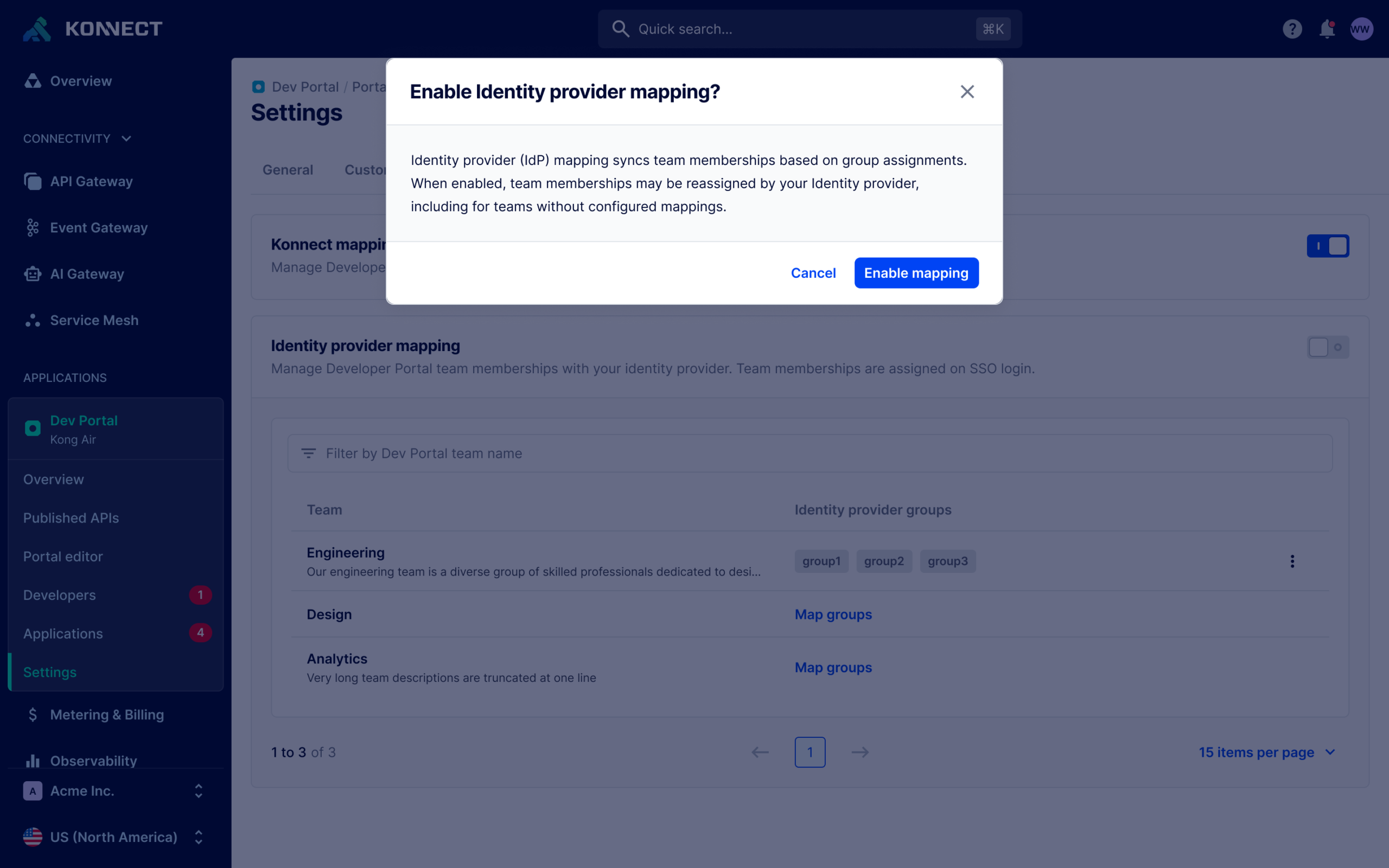
Making the source of truth explicit
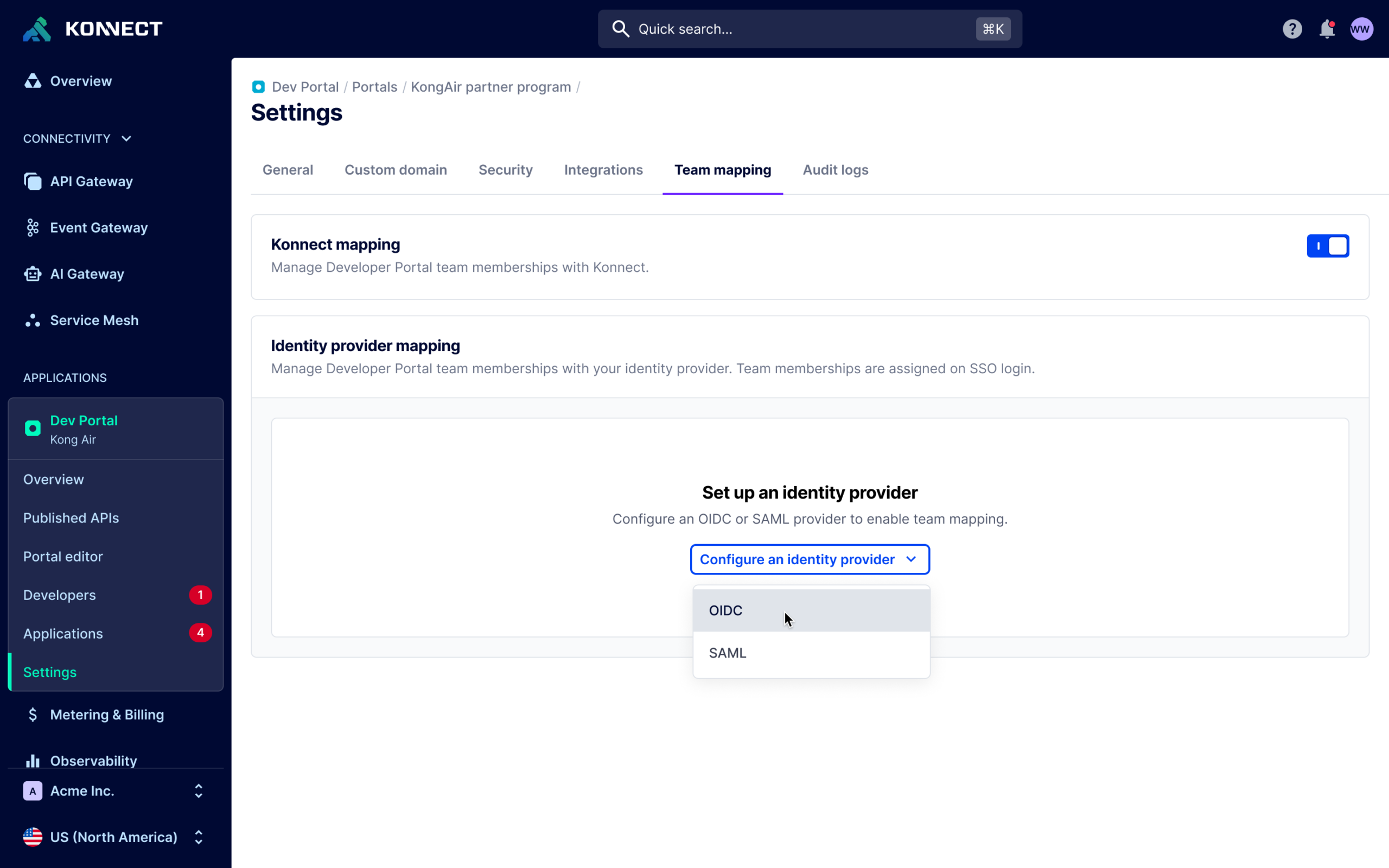
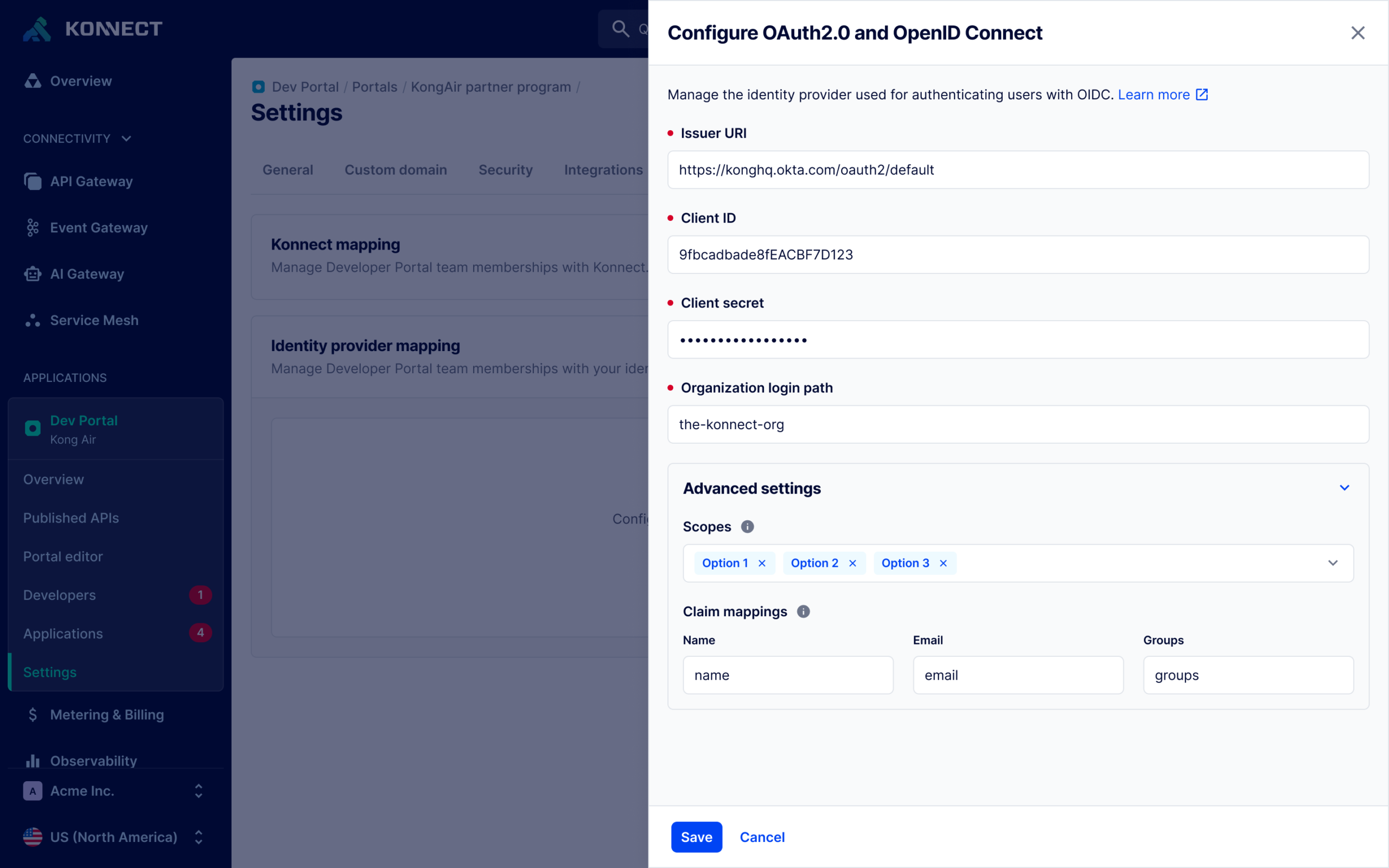
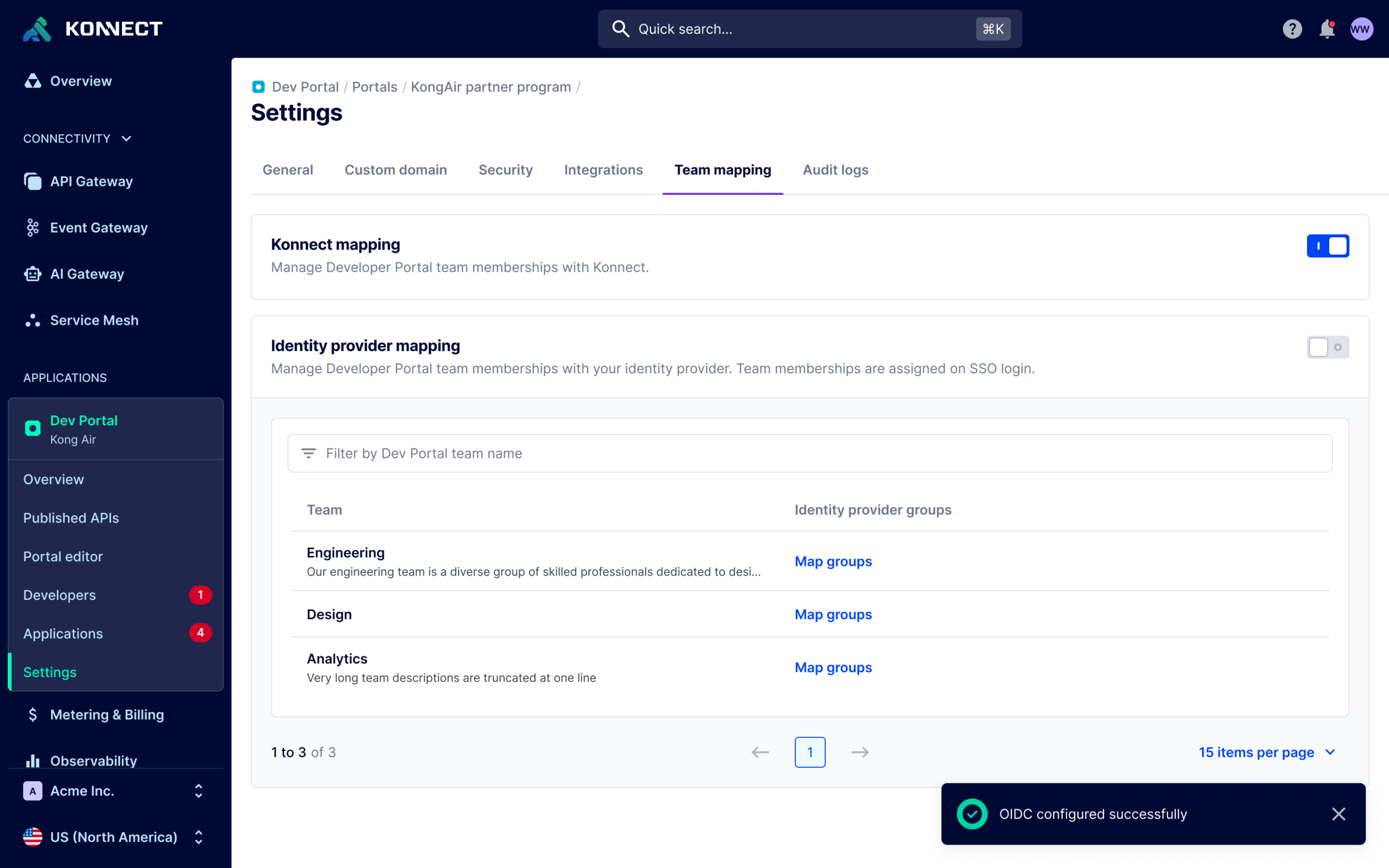
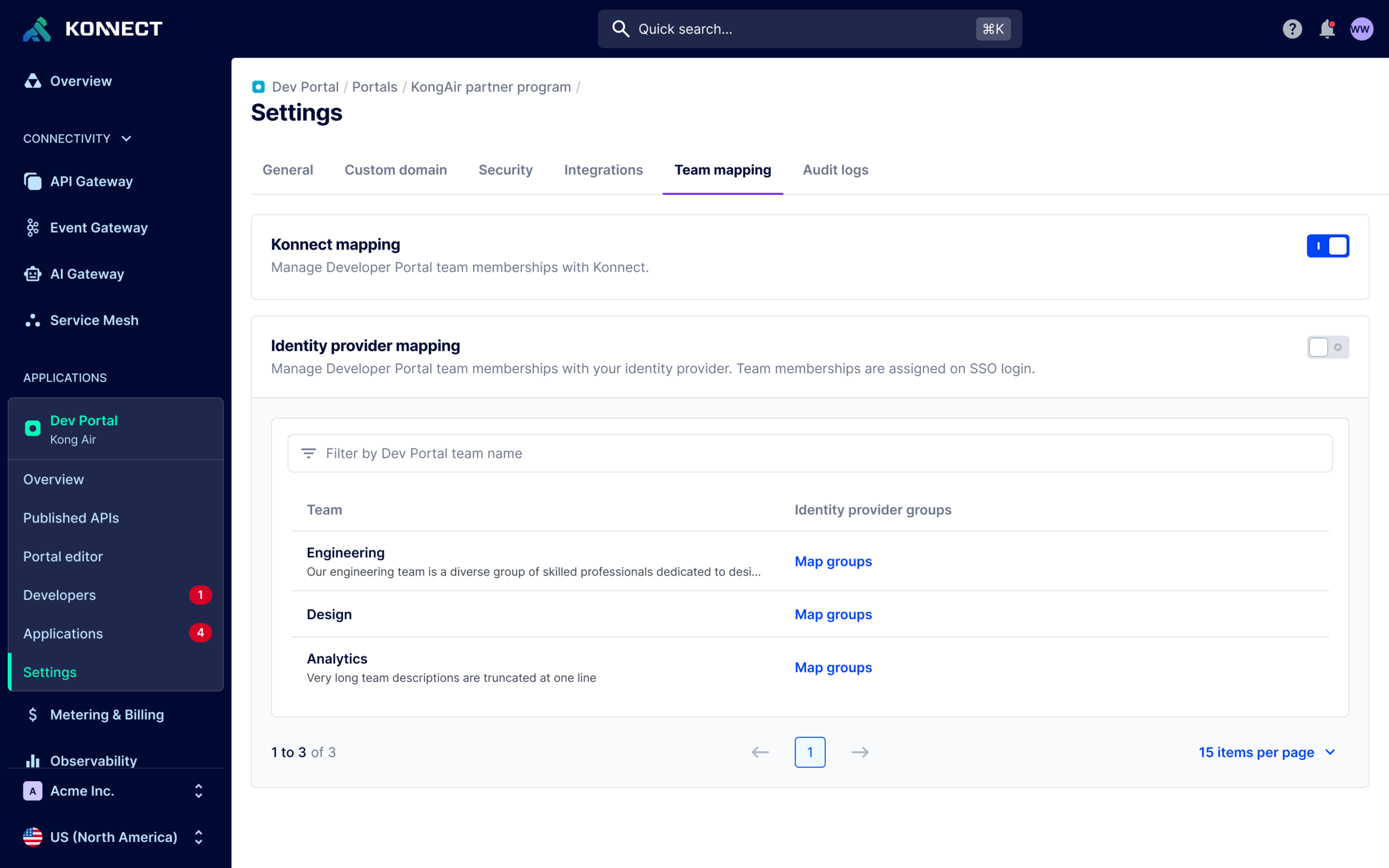
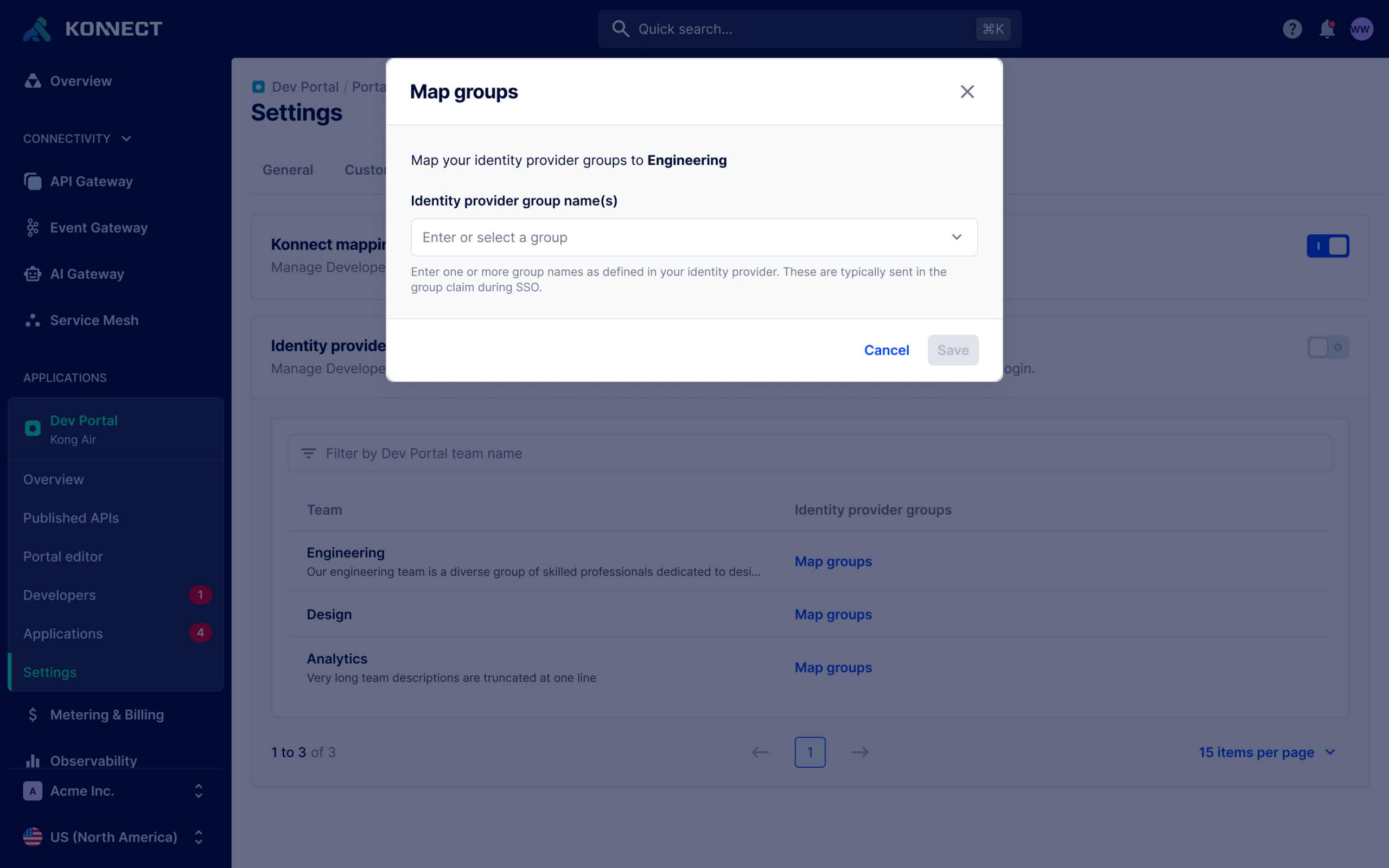
I designed changes throughout the relevant team-management experience to clearly communicate when a team was managed through an identity provider.
Once mapping was enabled, the interface established that membership was now governed externally rather than within Dev Portal. This gave administrators the context necessary to understand why membership might change and, importantly, where they needed to make future changes.
The interface would communicate a change in system ownership. Removing controls that no longer represented valid actions.
Communicating the new source of truth wasn’t enough.
If the interface continued allowing administrators to add, remove, or modify membership locally, it would imply that Dev Portal still controlled information that was actually governed by the IdP.
I therefore disabled or removed membership-management actions where IdP mapping made those actions invalid. This aligned the available controls with the underlying system model and prevented administrators from making local changes that could later be overwritten during synchronization.
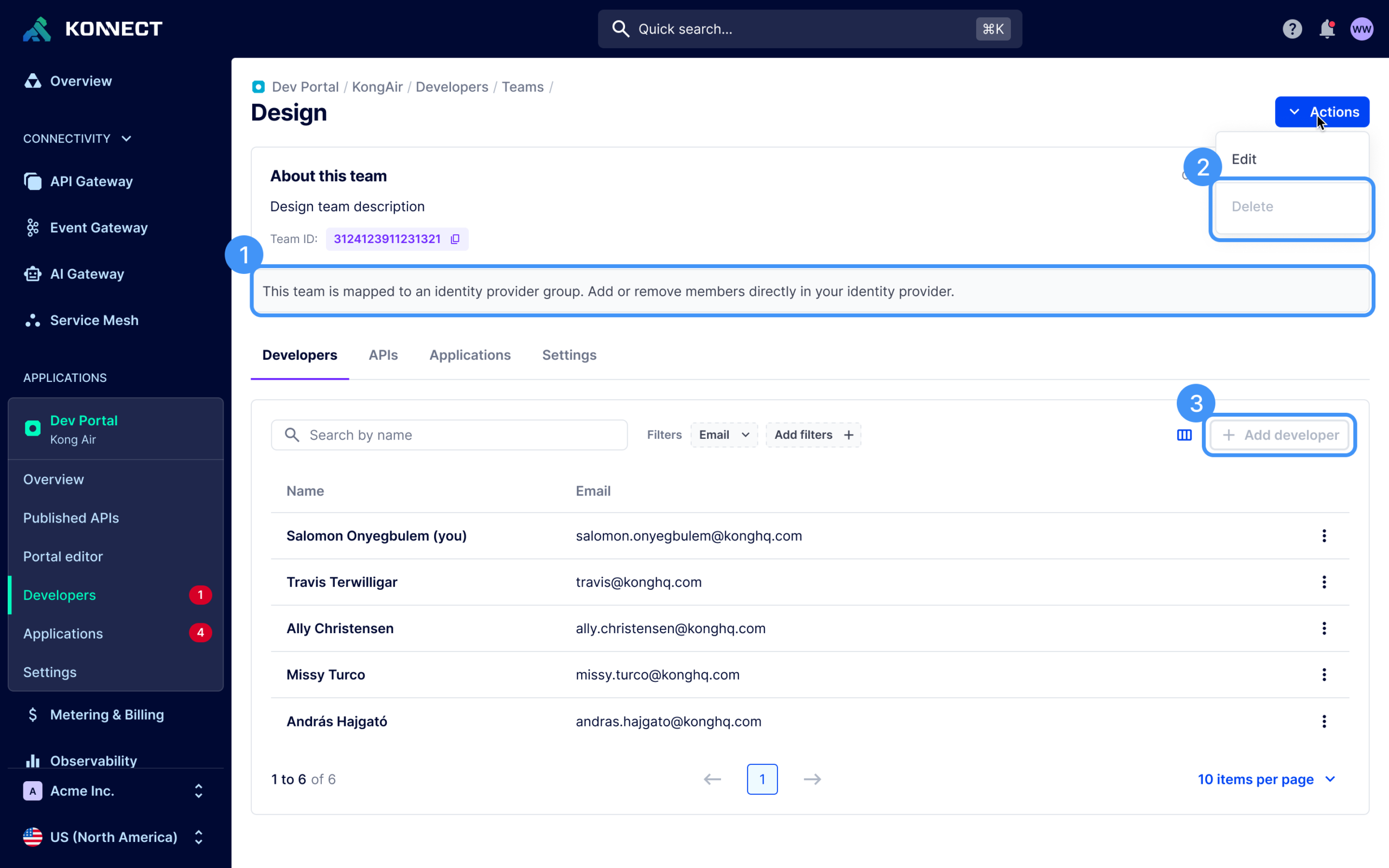
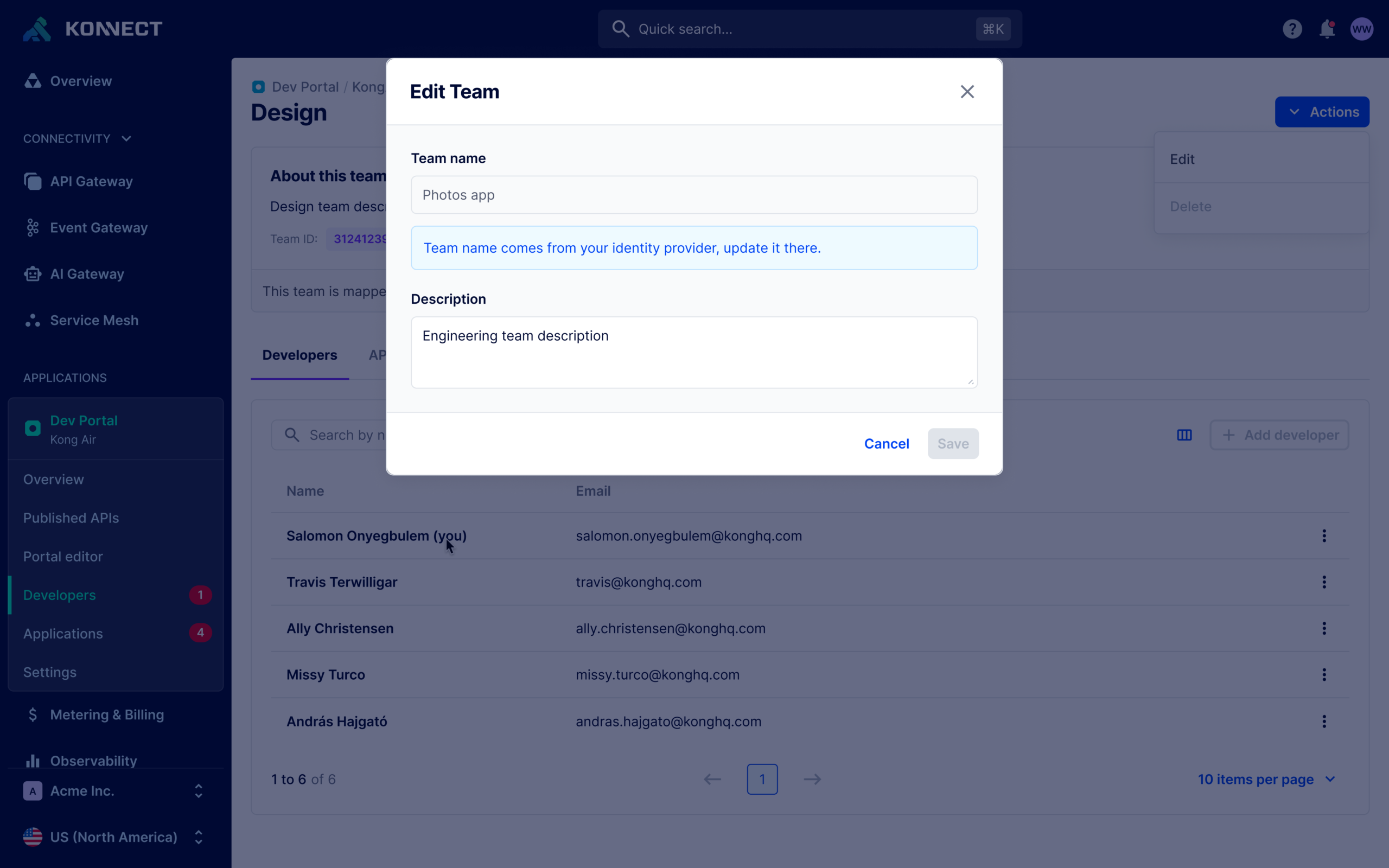
Designing for the edge cases before implementation.
I mapped the relevant states and edge cases independently before reviewing the proposed behavior with Engineering. The exercise helped determine where IdP ownership needed to be communicated, which actions should remain available, how mapped teams should be distinguished, and how the experience should behave as teams transitioned between locally and externally managed states.
Engineering input helped refine those decisions and ensure the resulting interaction model accurately reflected the platform’s identity behavior. I then translated the agreed model into production-ready screens and specifications for implementation.
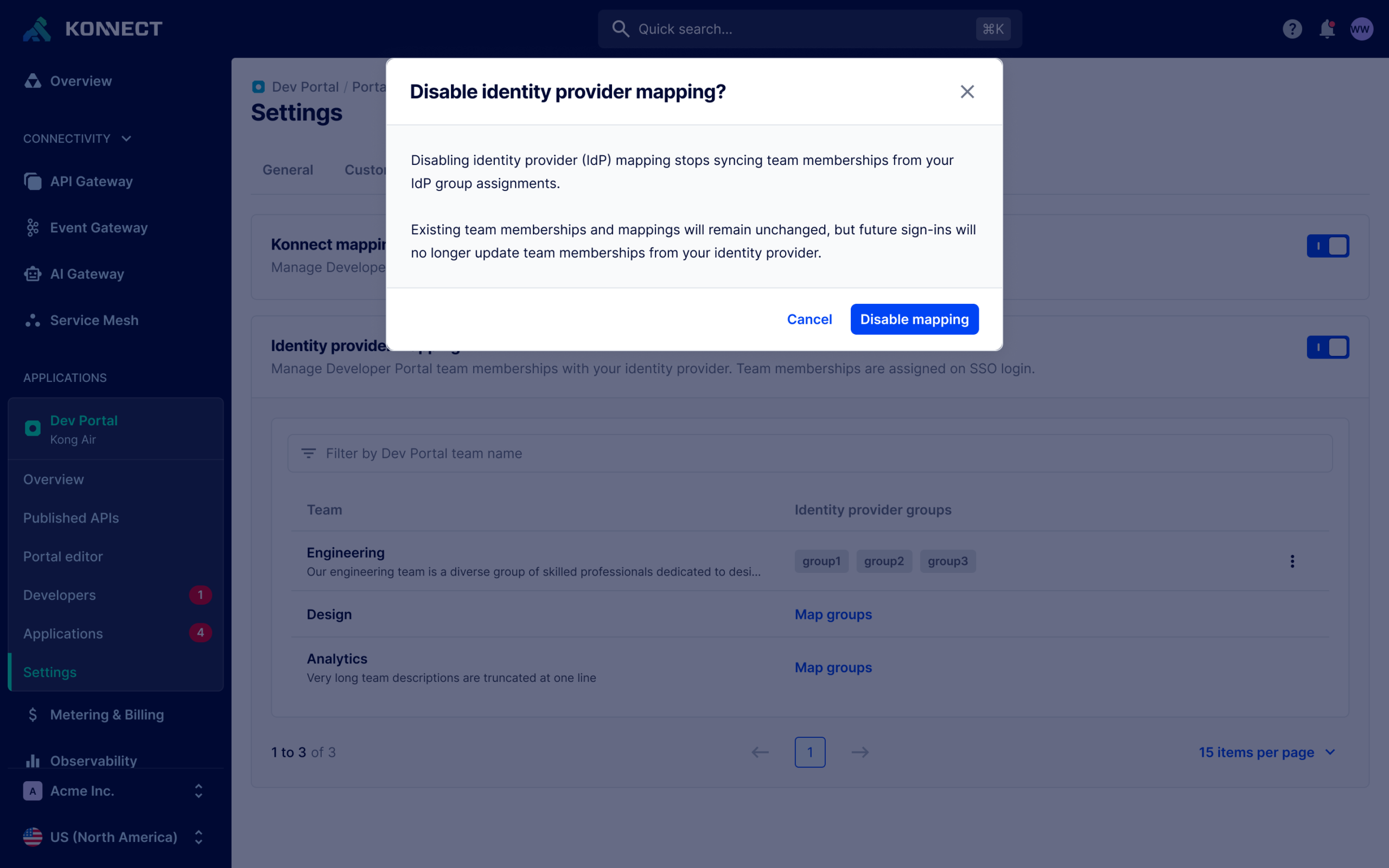
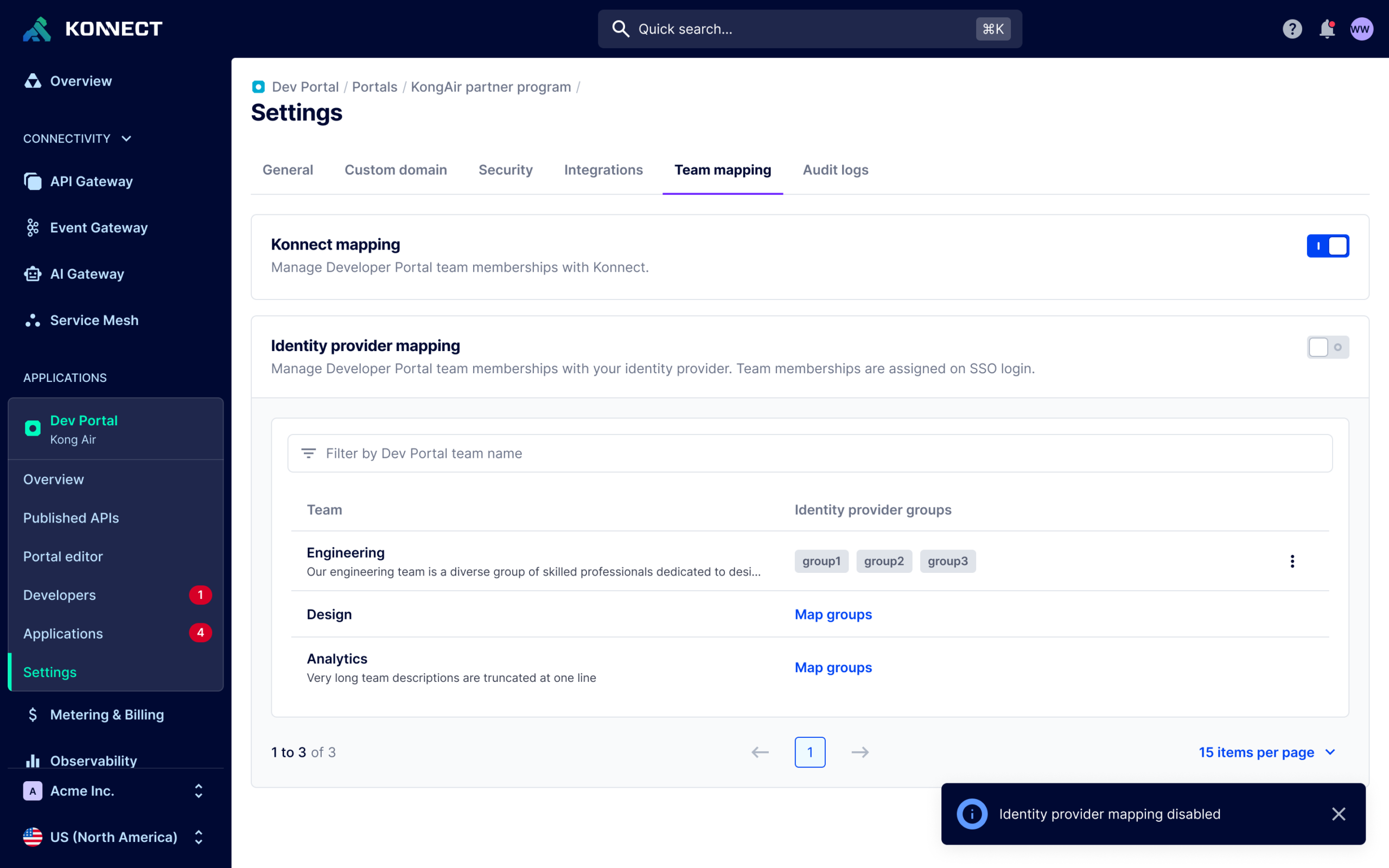
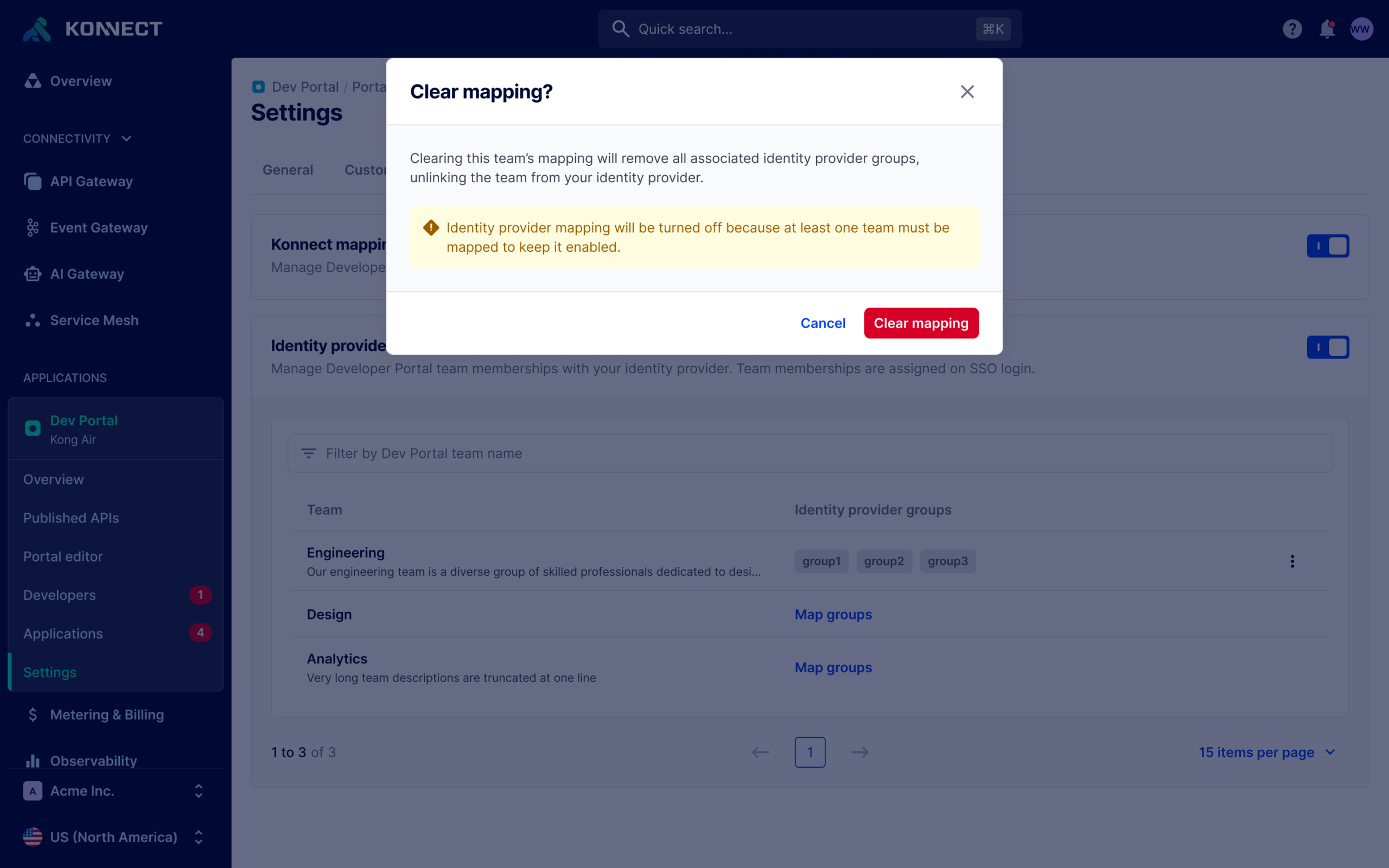
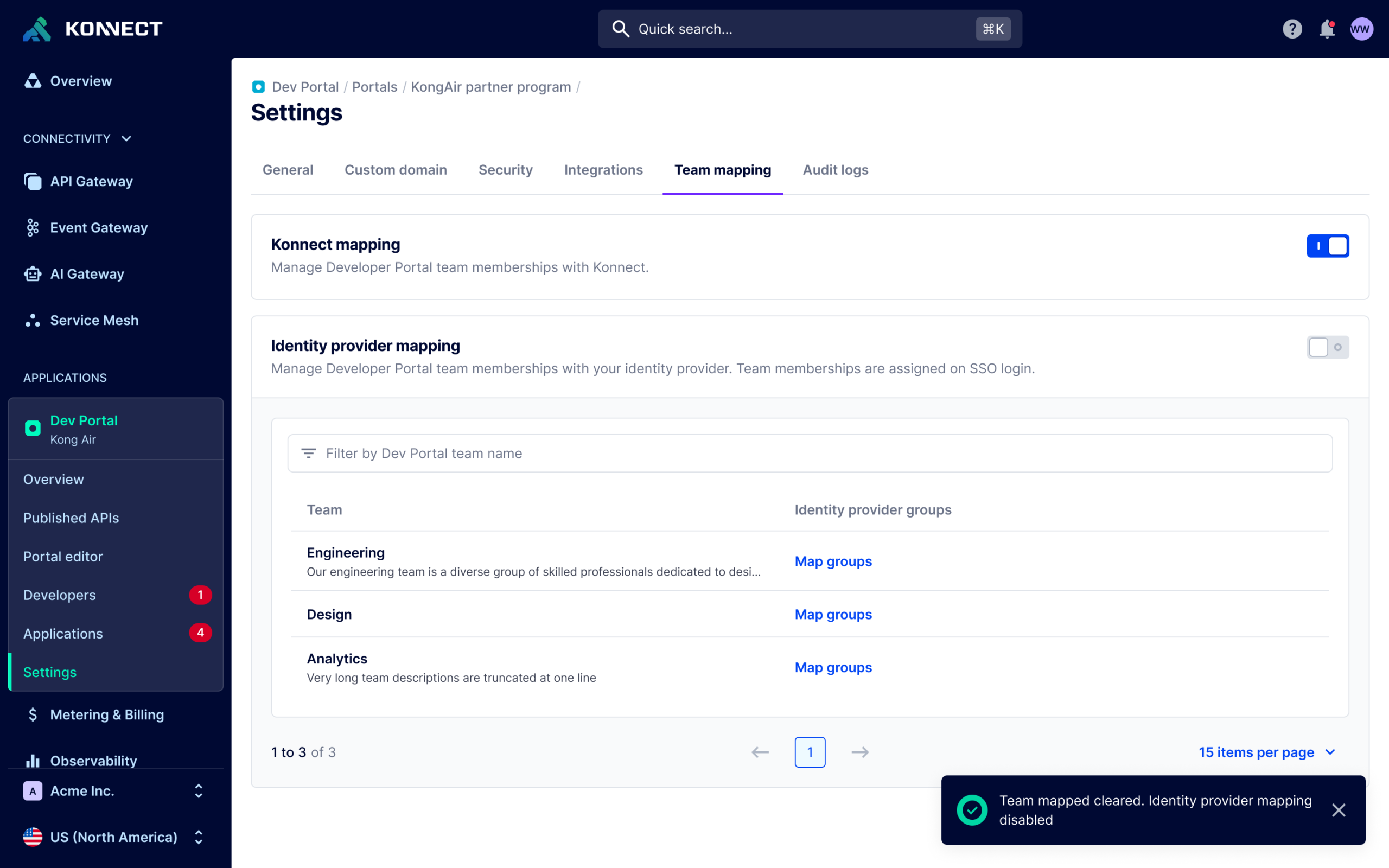
Preventing a problem users shouldn’t have to discover themselves.
The resulting experience preserved the existing identity architecture while making its behavior considerably more transparent.
Existing customers gained clearer indications that mapped team membership was controlled by their identity provider, while future customers received that context as part of the experience rather than discovering it after someone unexpectedly lost access.
Ultimately, the system behavior didn’t need to change 👍