Case Study
A drag and drop content editor
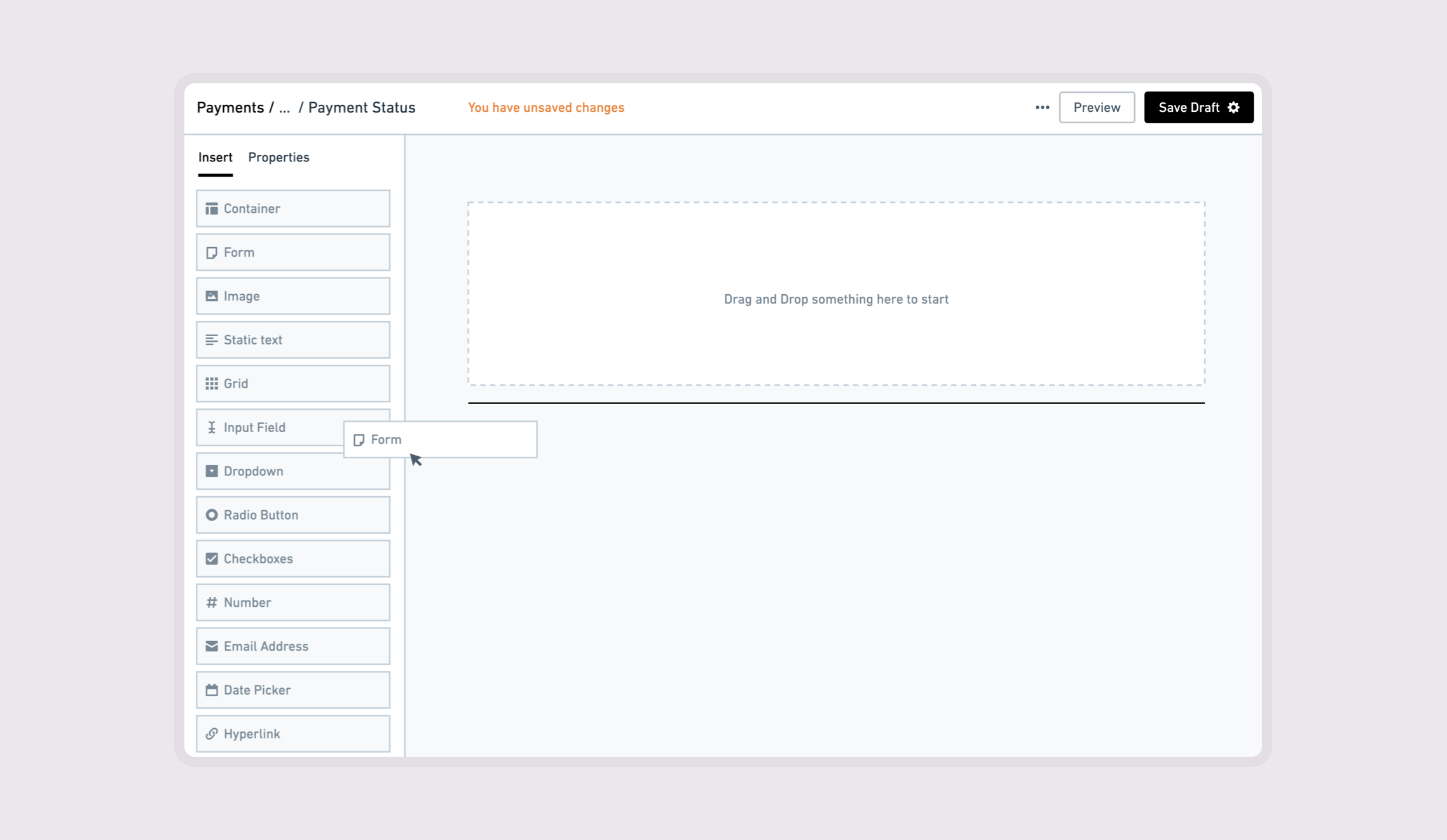
I designed a drag-and-drop editor to let implementation teams customize payment channels without commissioning a development team for each change. The work brought page editing, contextual controls, and channel management into a workflow shaped by customer requirements and payment-channel constraints.
Giving implementation teams control over customer-specific changes
Billers’ requested changes to payment flows traditionally depended on a dedicated development team. With limited engineering resources, that process could take three to six months.
I designed a drag-and-drop page editor so account managers and implementation teams could configure payment channels during customer onboarding without sourcing a development team for those changes.
My scope covered the editor’s interface and interactions, its supporting features, and the navigation into it. I worked with Product Management and developers to define, design, and build the tool within technical constraints and the business rules governing each payment channel.
Defining what implementation teams needed to change
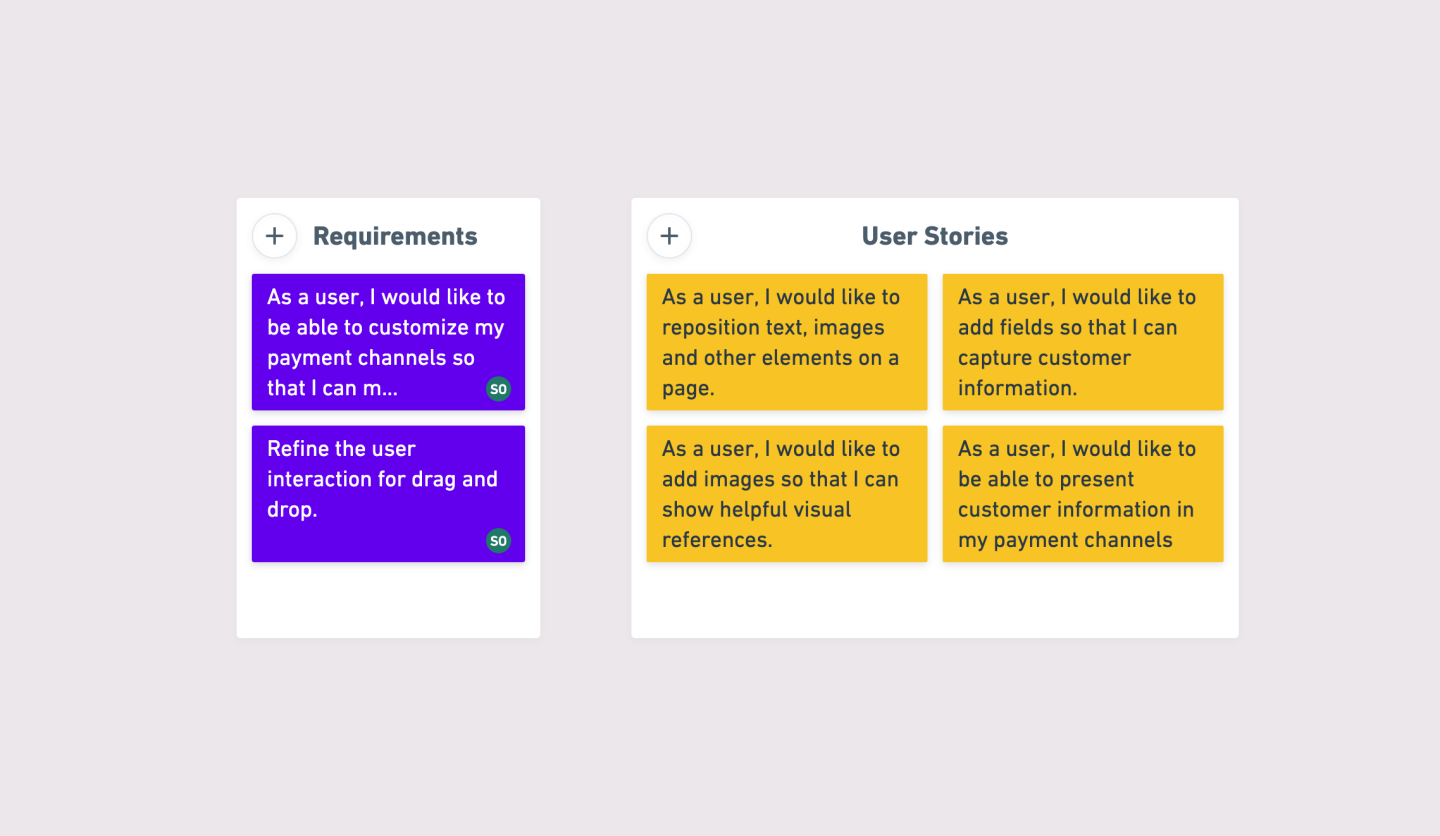
I interviewed internal implementation team members and used feedback sessions to define requirements as user stories, classified by scope.
Their tasks included rearranging content, adding fields to capture customer information, and presenting information within a payment channel. Here’s a snippet of what I captured.
I also reviewed editing tools in CRM and content-management platforms, including WordPress, Squarespace, and Wix. Their established patterns informed how I organized the editor and exposed its controls.
Connecting page editing to the right payment channel
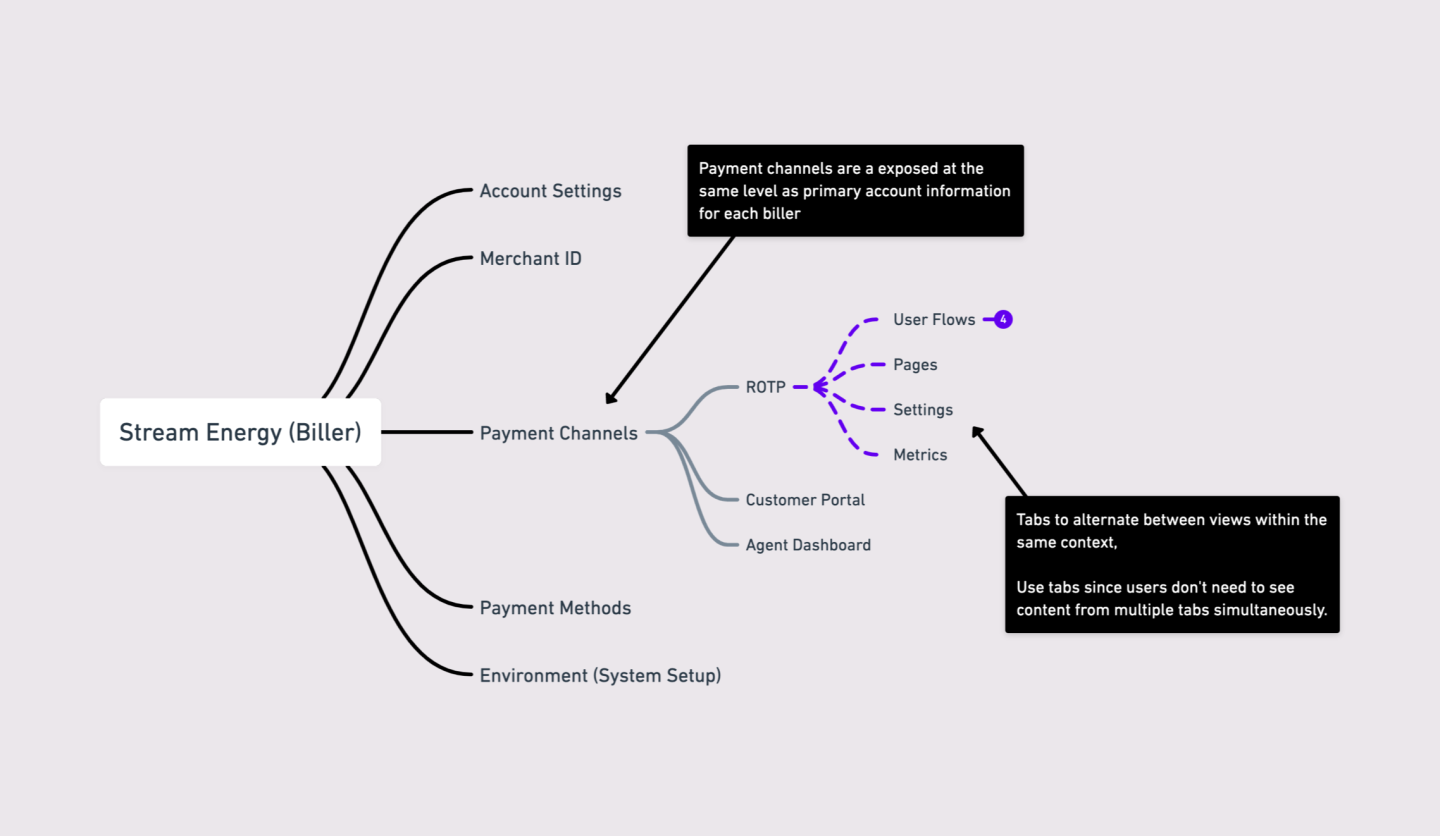
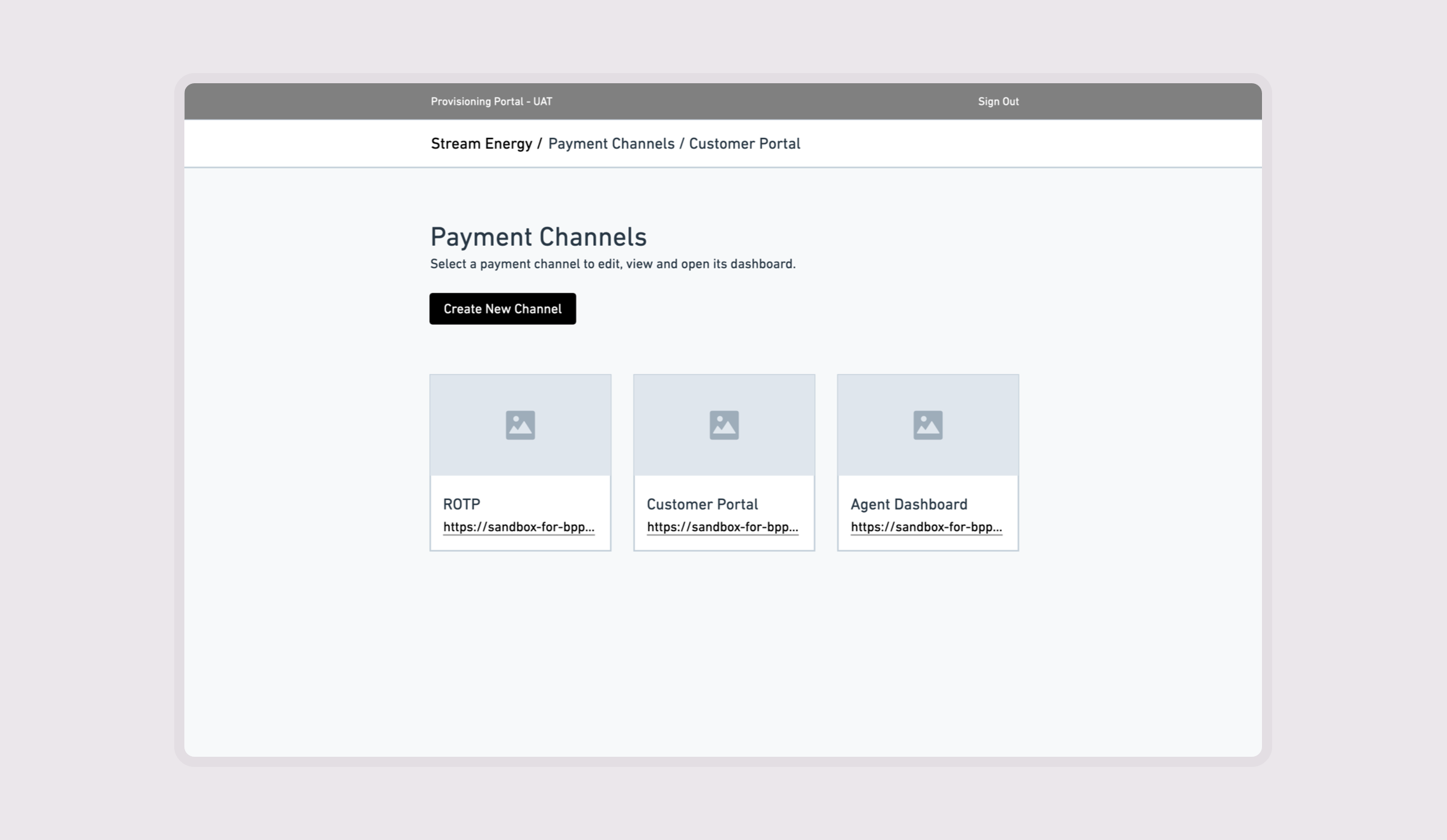
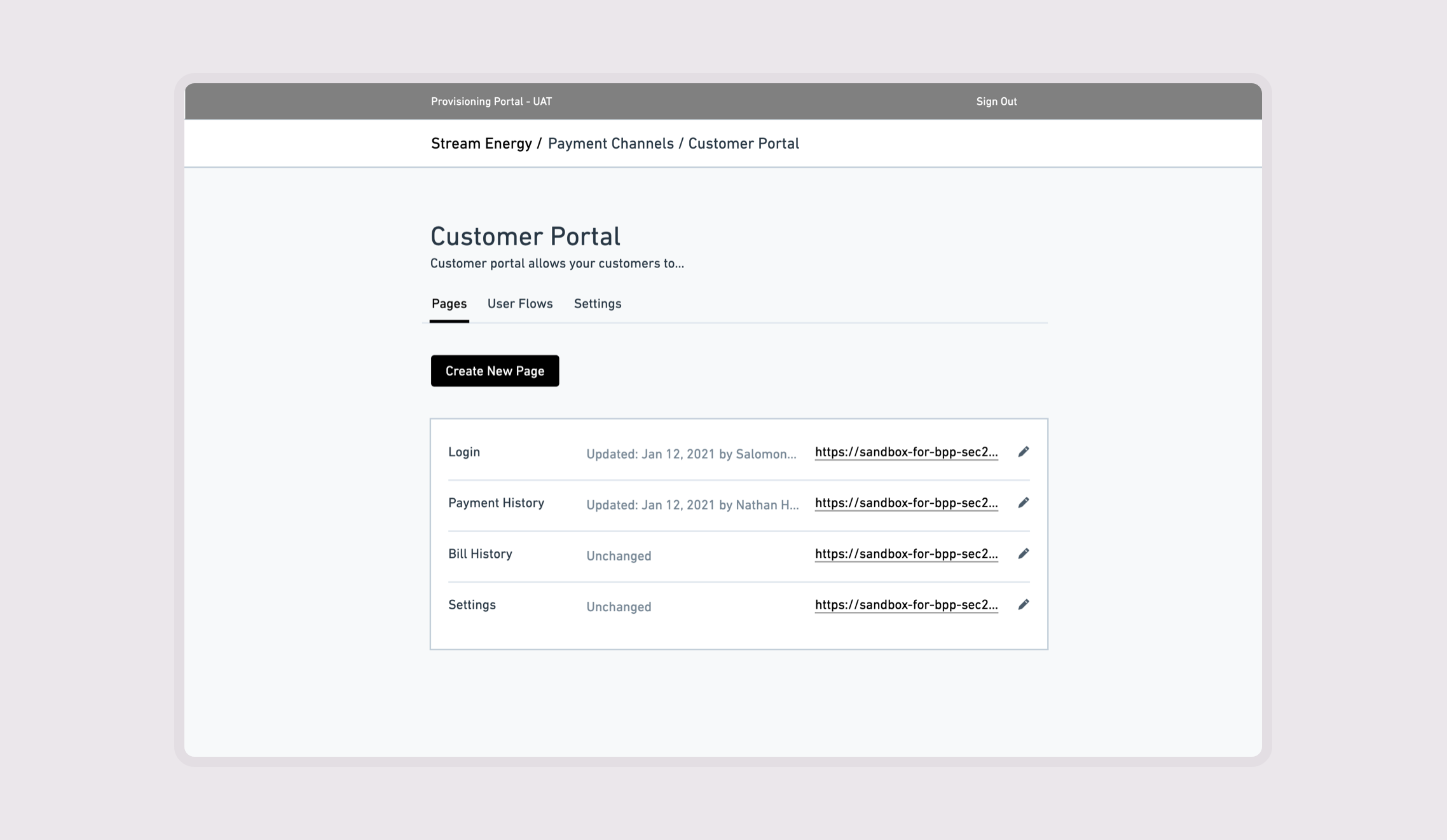
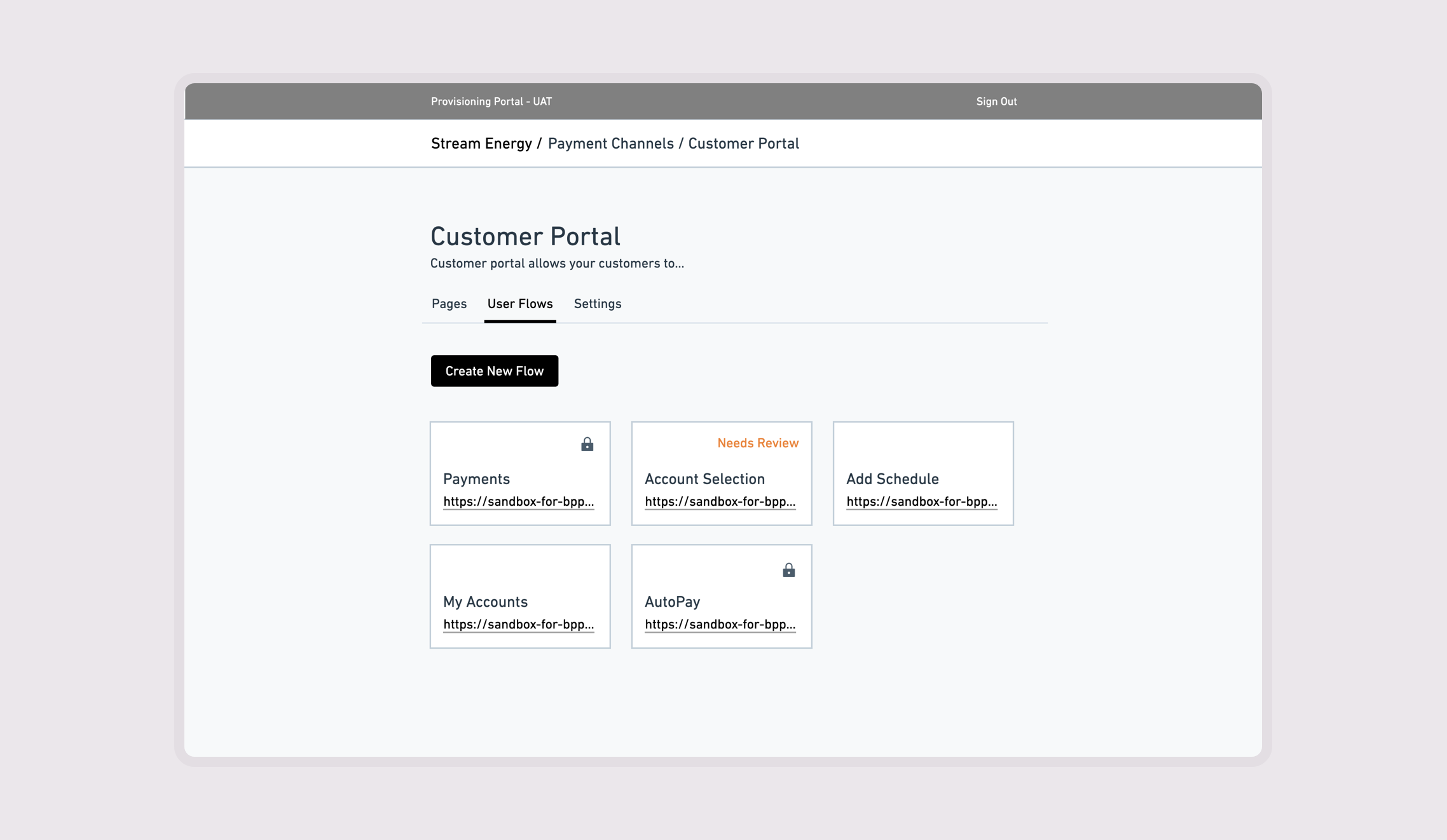
The editor needed a clear place within the implementation workflow. I designed how users reached it, how payment channels were represented, and what information was available before they opened a page. This connected page-level work to the biller and channel it belonged to.
Keeping common actions accessible as configuration grows
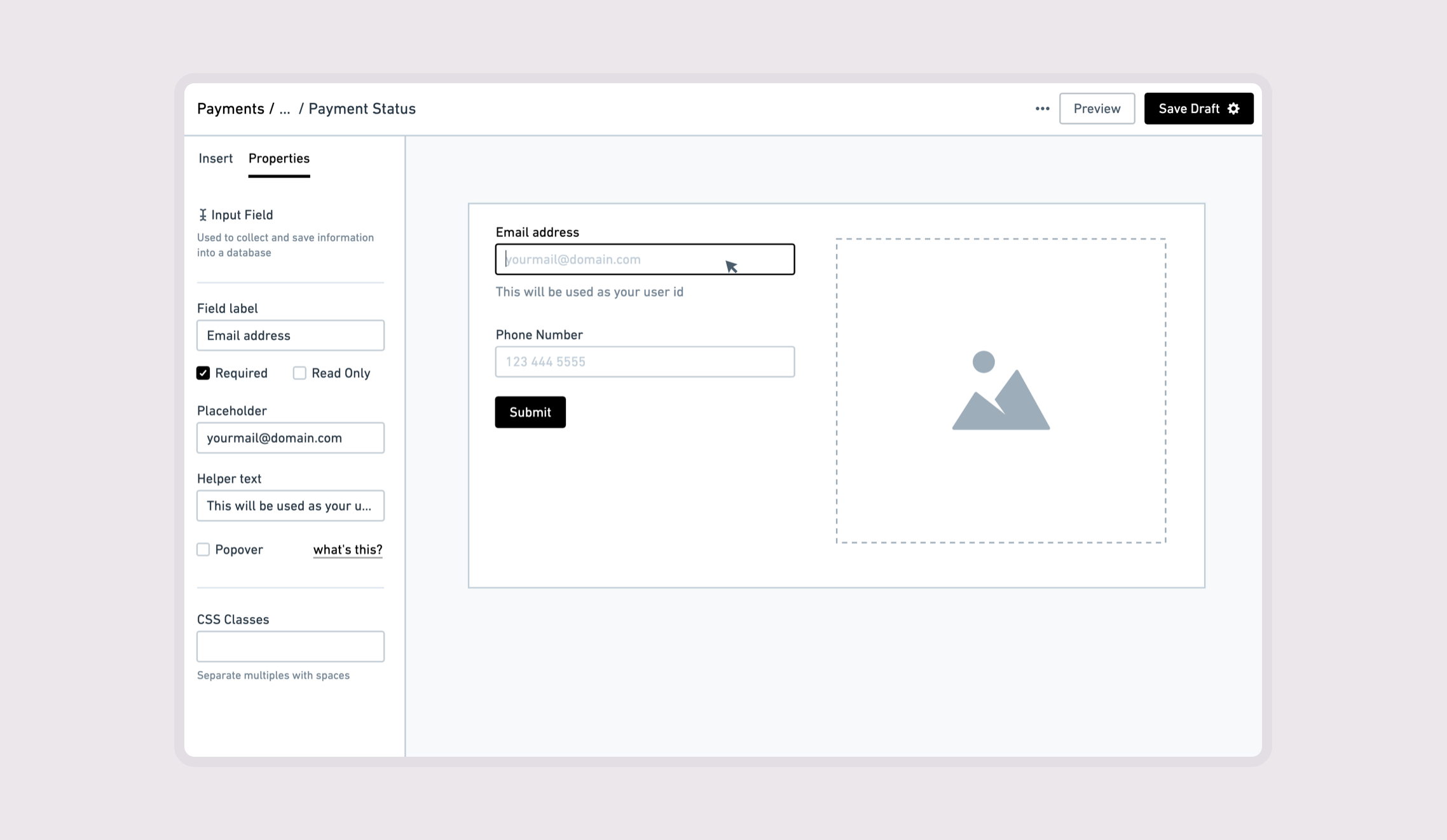
The central design challenge was to support routine changes without overwhelming newer users or restricting experienced ones. I defined default element states around common use cases and used progressive disclosure for advanced features.
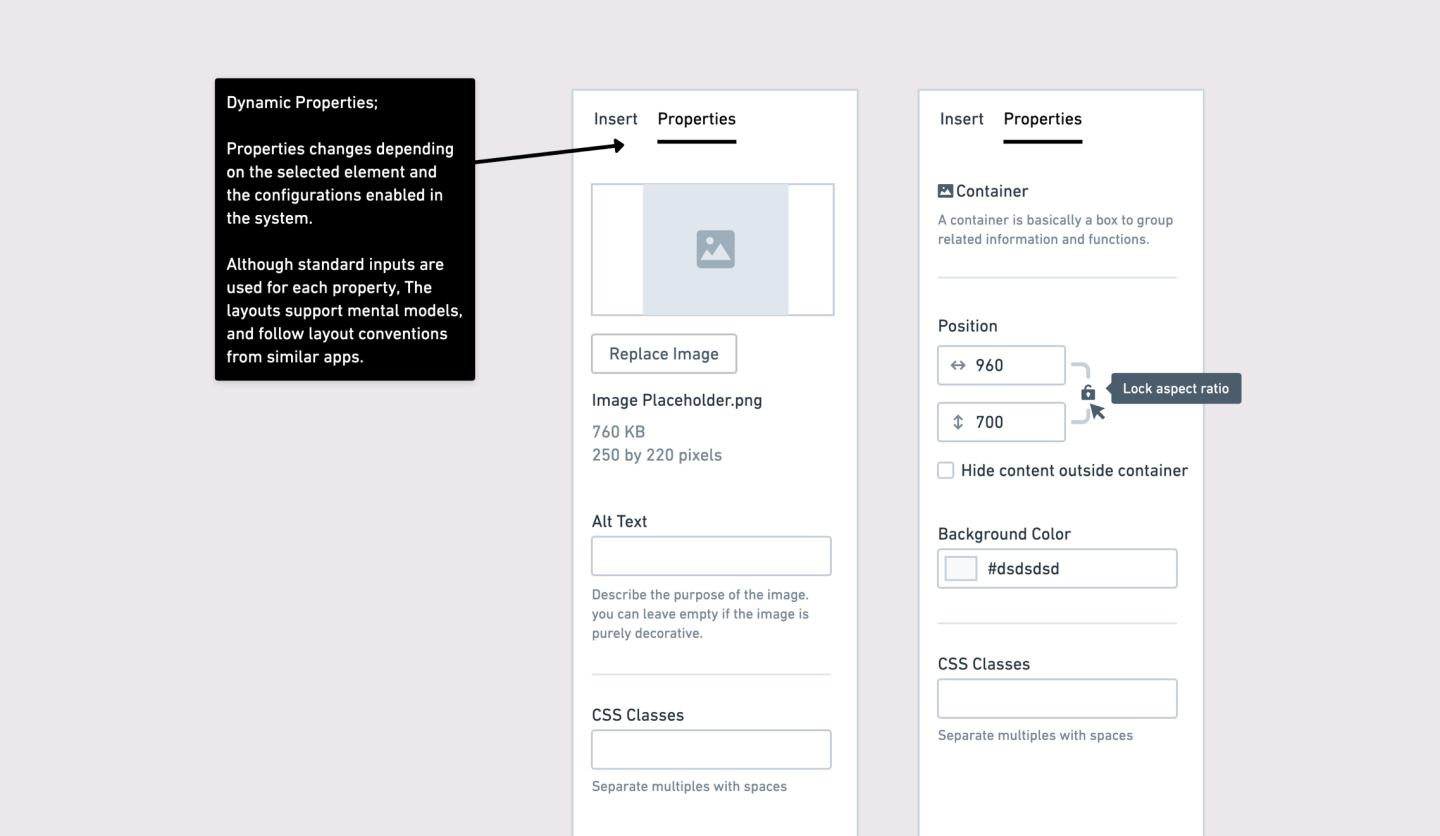
The properties panel changed with the selected element and the configurations enabled in the system. This kept controls relevant to the current task while retaining access to more detailed settings.
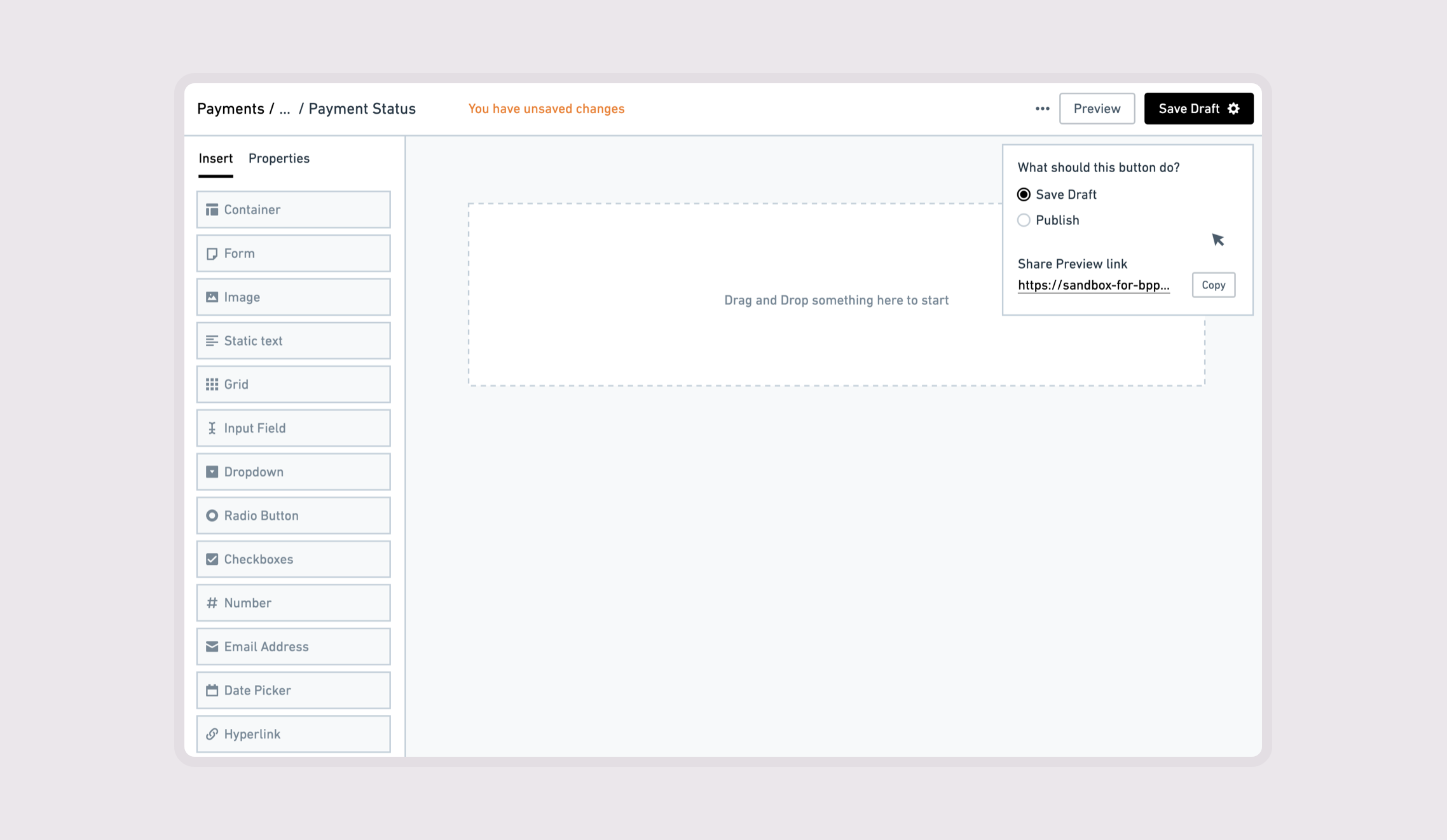
I designed the draggable-element icons and interaction feedback to clarify what could be moved, where it could be dropped, and how its properties could be customized. I also distinguished actions on individual elements from page-level functions such as undo, redo, save, and preview.
Separating pages, flows, and channel-wide settings
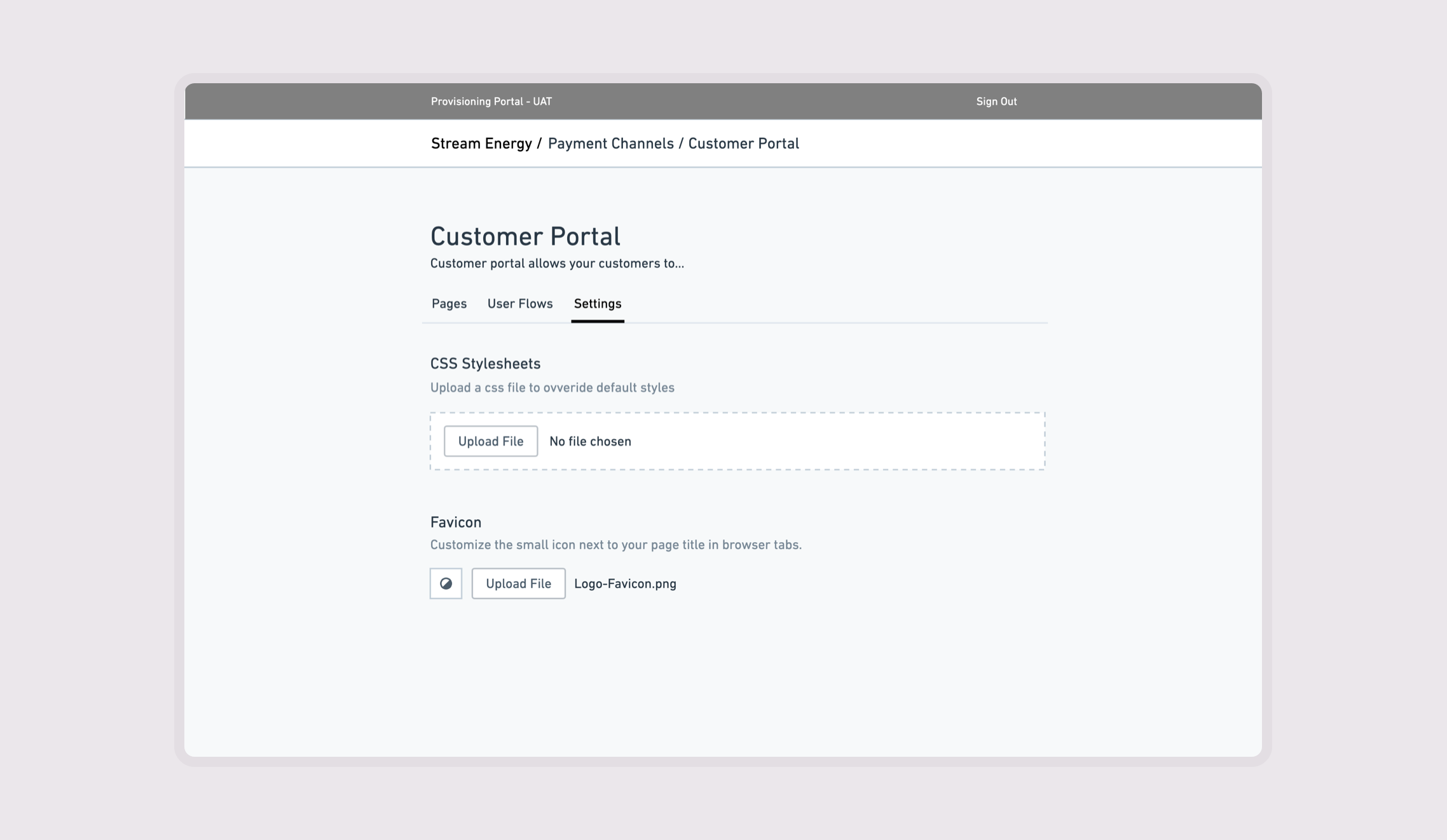
Customization extended beyond arranging content on a canvas. The surrounding navigation separated individual pages, user flows, and channel settings so implementation teams could work at the appropriate level.
Establishing a configuration workflow for onboarding
Working with Product and Engineering, I created an editor that enabled implementation teams to customize payment pages and manage channel content directly.
Teams could make supported changes during customer onboarding without commissioning a dedicated development team, giving them greater control over how they met each customer’s requirements. 👍